200 ANSI LED Projector: Real-World Brightness & Mirroring
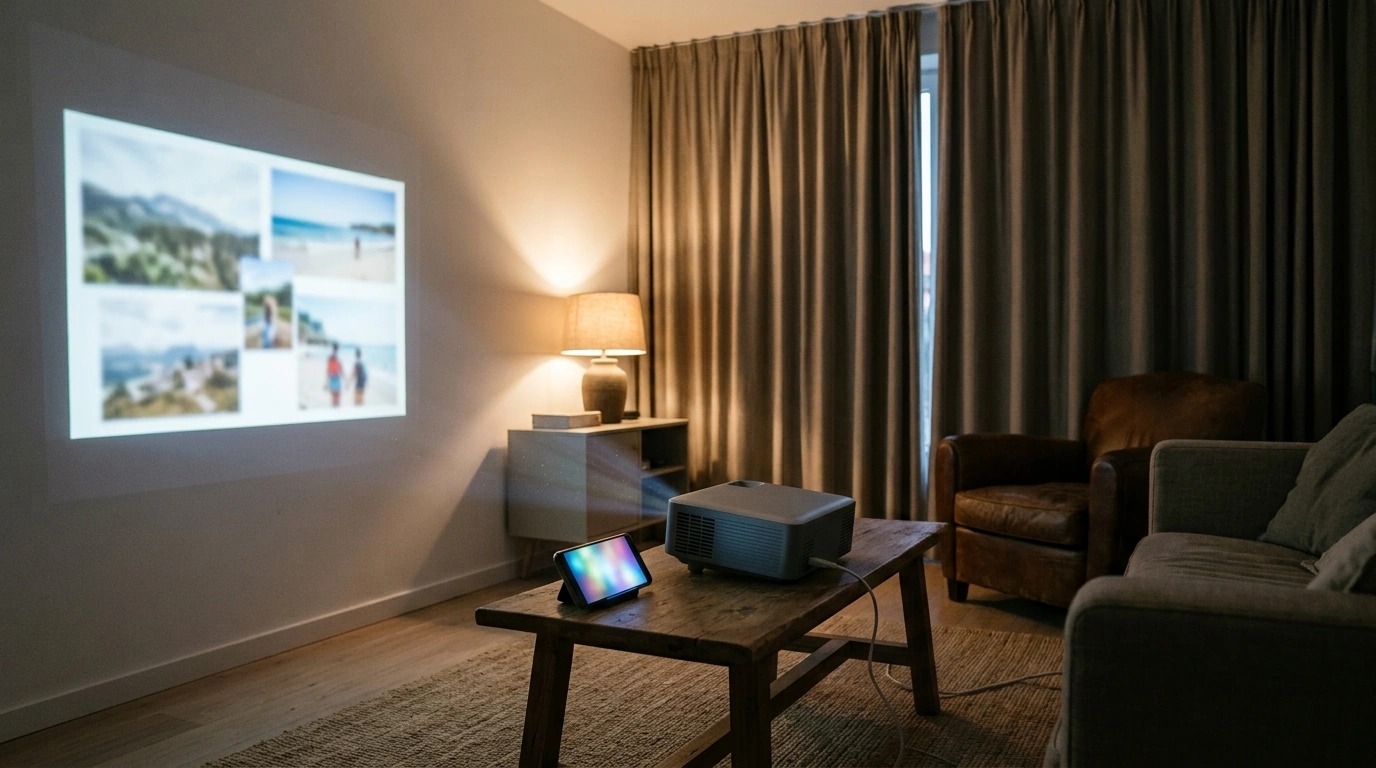
200 ANSI LED Projector Basics: What the Specs Mean in Real Use
A compact LED projector rated at 200 ANSI brightness with native 1280×720 (720P) resolution and dual-band Wi‑Fi can be a genuinely convenient way to put a big image on the wall—especially when the room lighting is under control. The key is matching expectations to the environment: this type of projector is built for casual viewing, easy portability, and quick wireless sharing, rather than daylight sports parties in a sunlit living room.
At a practical level, 200 ANSI brightness favors evening viewing, 720P keeps movies and shows looking clean at moderate sizes, and dual Wi‑Fi helps screen mirroring feel less “laggy” when your network is crowded. For a deeper brightness explainer, Projector Central breaks down how ANSI lumens translate to real-world viewing conditions: https://www.projectorcentral.com/projector-lumens.htm.
Feature impact guide
| Feature | What it affects | Best-case scenario | Common limitation |
|---|---|---|---|
| 200 ANSI brightness | Visibility with lights on | Dark room movie viewing looks vibrant | Washed-out image in bright daylight |
| 720P native resolution (1280×720) | Sharpness and detail | Streaming shows and movies look clean at moderate sizes | Small text can look soft on very large screens |
| Screen mirroring | Convenience and sharing | Fast setup for photos, videos, and apps | Some apps restrict mirroring or add latency |
| Dual Wi‑Fi (2.4G/5G) | Stability and lag | Smoother mirroring on 5G where available | 5G range can be shorter than 2.4G |
| LED projection | Maintenance and portability | Lower upkeep and consistent output | Color/brightness still depends on optics and settings |
Picture Quality: Brightness, Resolution, and Screen Size Planning
Brightness and room lighting: With 200 ANSI brightness, the easiest “upgrade” is lowering ambient light. Draw curtains, turn off overhead lights, and avoid lamps pointed toward the wall or screen. Even a small amount of side light can flatten contrast on a light-colored wall, making blacks look gray and reducing perceived color depth.
Resolution vs. screen size: Native 720P is a comfortable baseline for streaming and casual viewing. It tends to look best at small-to-medium image sizes, where details like subtitles and menus remain crisp enough. If you push to a very large image, sit a little farther back to maintain perceived sharpness; at close distances, individual pixels and softness in fine text become more noticeable.
Wall vs. screen: A dedicated projection screen typically improves uniformity (fewer hot spots, more even brightness) and helps contrast look more consistent from edge to edge. That said, a smooth matte white wall can still be a perfectly workable solution for bedroom viewing, dorm setups, or travel—especially if you’re prioritizing convenience over a “home theater” finish.
Color and contrast expectations: Basic picture controls (brightness, contrast, color temperature) can help dial in skin tones and keep highlights from blowing out, but lighting control usually delivers the biggest jump in perceived image quality. If the room is bright, aggressive picture tweaks often just trade away shadow detail or introduce unnatural color.
Screen Mirroring and Dual Wi‑Fi: Getting Smoother Casting
Why dual-band Wi‑Fi matters: In many homes—especially apartments—2.4GHz can be busy. Having the option to use 5GHz may reduce interference, which can improve mirroring smoothness. The tradeoff is that 5GHz often has shorter range and may drop sooner through walls, while 2.4GHz can hold on better at longer distances.
Common mirroring use cases: A projector like this is well-suited for sharing vacation photos, streaming a video from a phone, showing a quick slide deck, or putting a casual game on a bigger surface. For fast-twitch competitive gaming, mirroring latency can be distracting, even if the picture looks great.
Latency notes: Screen mirroring nearly always adds some delay. If your setup supports a wired connection (or you use an external streaming stick with a direct connection), you’ll usually get more consistent lip-sync and fewer hiccups during action scenes.
App limitations: Some subscription services restrict mirroring due to content protection. In those situations, a supported casting method (or an external streaming device connected to the projector) tends to be more reliable than forcing mirroring.
For a plain-language overview of Wi‑Fi standards and how devices connect, IEEE’s 802.11 resources are a helpful reference: https://www.ieee.org/about/ieee-802-11.html.
Everyday Use: Placement, Focus, and Sound Considerations
Best Use Cases (and When to Choose a Brighter Model)
Care Tips for Consistent Performance
In-Stock Picks to Build a Simple Home-or-Travel Setup
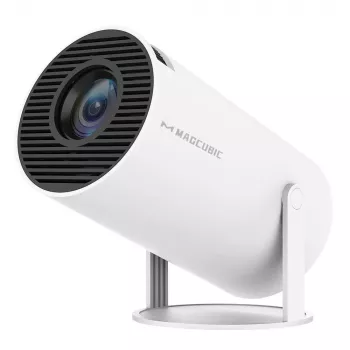
- 200 ANSI LED Projector with Screen Mirroring, Dual Wifi, and 1280x720P Resolution — a compact option for dim-room movie nights, dorms, and travel setups.
- AI-Powered Products Made Simple: The Ultimate Guide on How to Use ChatGPT to Create Digital Products, eBooks, Checklists, and More — useful for creating printable checklists (packing lists, movie night setup steps) or simple presentation handouts.
- Large Capacity Semi-Closed Cat Litter Box with High Sides & Scoop — a practical add-on for keeping a shared room tidier when movie night includes pets.
FAQ
Is 200 ANSI bright enough for daytime viewing?
It works best in dim rooms; in bright daylight the image will look washed out. Curtains and reduced room lighting usually make the biggest difference.
Will screen mirroring work smoothly on both 2.4G and 5G Wi‑Fi?
5G is often smoother due to less congestion but may have shorter range, while 2.4G can be steadier through walls. Results depend on your router quality, distance, and local interference.
Is 720P resolution okay for a large projected image?
720P can look good at moderate sizes and typical viewing distances. For very large images or close seating, higher resolution will improve fine detail and text clarity.








Leave a comment