500-Mile Indoor HDTV Antenna: Setup, Booster & Tips
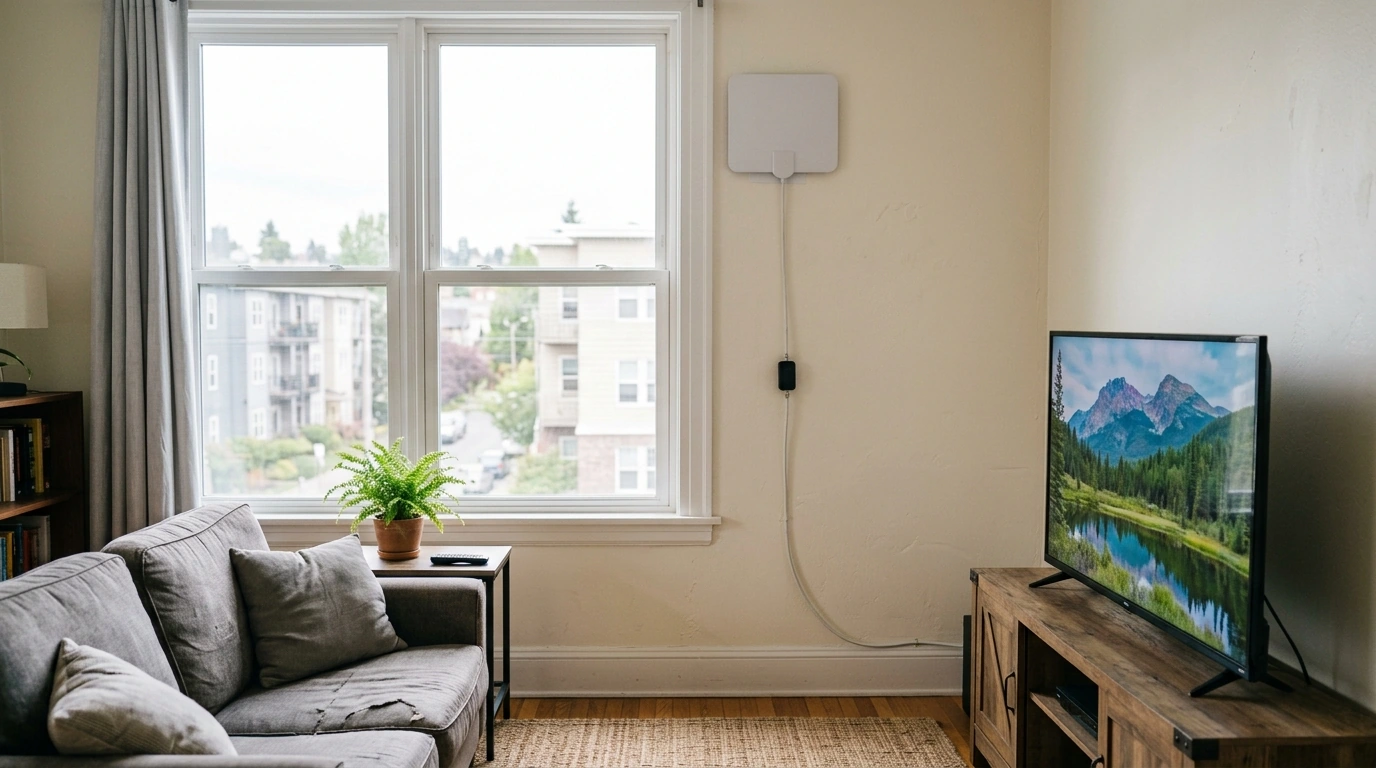
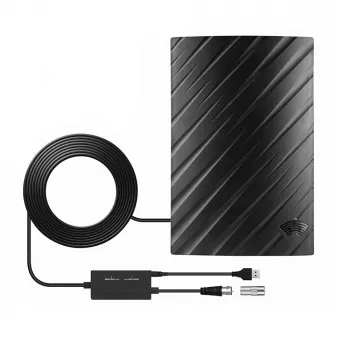
500-Mile Digital HDTV Antenna with 4K/1080P Signal Booster and 16.4FT Cable: What to Expect and How to Get the Best Reception
A compact indoor HDTV antenna can bring in free over-the-air channels when it’s positioned well and paired with the realities of your local broadcast coverage. The 500 Miles Digital HDTV Antenna – 4K 1080P Signal Booster with 16.4FT Cable is built for everyday indoor use—apartments, bedrooms, dorm rooms, and living rooms—where mounting an outdoor antenna isn’t practical. This guide explains what a boosted indoor antenna is designed to do, how to use the included 16.4FT cable for better placement, and the quickest troubleshooting steps when channels won’t lock in or video turns blocky.
What This Antenna Is Designed to Do
Indoor antennas are all about making the most of the signal already in your area. With a well-chosen location (often near a window), this antenna is designed to:
- Receive free over-the-air broadcast channels (where available), including major networks, local news, and additional subchannels.
- Support modern TV resolutions up to 4K/1080P when your local broadcasts and your TV’s tuner support those formats.
- Use a signal booster to help in scenarios where reception is weaker, the antenna must sit farther from the TV, or indoor placement is less than ideal.
- Fit common indoor spaces—especially rentals—without drilling, permanent mounting, or rooftop access.
For a quick look at broadcast standards and how over-the-air TV works, the FCC Consumer Guide on antennas and digital television is a reliable reference.
Quick Specs and What’s in the Box
“Range” numbers can be optimistic across many antenna brands because real reception depends on distance to transmitters, terrain, nearby buildings, and even what your walls are made of. What matters most is that you can test placement easily—and the included 16.4FT coax cable makes it more realistic to reach a window or a higher shelf without immediately adding extensions.
At-a-Glance Setup Details
| Item | Details |
|---|---|
| Product name | 500 Miles Digital HDTV Antenna – 4K 1080P Signal Booster with 16.4FT Cable |
| Cable length | 16.4FT (included) |
| Signal support | Over-the-air TV broadcasts (availability varies by location) |
| Resolution support | Up to 4K/1080P (when provided by local broadcast and supported by TV tuner) |
| Best placement | Near a window; higher positions often work better indoors |
If you want to estimate which channels and towers are near you before you start moving the antenna around, AntennaWeb can help identify local transmitters and expected signal directions.
How to Install for Stronger Reception (Window-to-TV Method)
This installation approach prioritizes signal quality first, then convenience. Many reception problems happen simply because the antenna is sitting in a “bad RF spot” inside the room.
- Pick the best wall/window first. If possible, choose the side of your home that faces broadcast towers. A window usually beats an interior wall.
- Mount high and keep it “open.” Place the antenna near a window and as high as the cable allows. Avoid putting it behind metal blinds, thick brick, or large appliances.
- Connect to the correct input. Attach the coax cable to the TV’s ANT/CABLE input. If your antenna has a booster option, start with it off and only enable it if needed.
- Run a channel scan. On most TVs, this is under something like Settings → Channels → Auto Program/Auto Scan. Be sure the TV is set to Antenna/Air, not Cable.
- Re-scan after small adjustments. Indoor TV signals can change dramatically with small moves. Shifting the antenna 6–12 inches can be the difference between stable HD and constant dropouts.
Booster On or Off: When It Helps (and When It Hurts)
A built-in signal booster can be a benefit—but it’s not a universal “always on” switch. Amplifying a weak signal can improve lock and stability, but amplifying an already-strong signal can create overload, which may look like pixelation, random channel drops, or channels that vanish during a re-scan.
Placement Tips for Apartments and Indoor Rooms
Troubleshooting Checklist (Fast Fixes First)
Who This Antenna Fits Best
Price, Availability, and Where to Buy
The 500 Miles Digital HDTV Antenna – 4K 1080P Signal Booster with 16.4FT Cable is listed at $24.01 (price subject to change). Stock levels can fluctuate, so check the product page for the latest availability and purchase details.
For a handy digital companion when you’re sorting out settings, scans, and step-by-step questions, How to Ask AI for Help: Smart Ways to Ask AI for Help – A Digital Guide for Effective AI Interaction is also currently in stock.
FAQ
Does an indoor HDTV antenna work with any TV?
Most modern TVs include a built-in ATSC tuner and have an ANT/CABLE coax input, so they work directly with an indoor antenna. If your TV is older and lacks a digital tuner, you’ll typically need an external digital converter box to receive over-the-air channels.
Why do channels disappear after moving the antenna?
Indoor reception is very sensitive to placement, direction, and nearby interference, so even small moves can change which signals your TV can lock onto. After any repositioning, run a full channel scan again and try small adjustments near a window for the most stable results.
Should the signal booster be turned on all the time?
Not always. A booster can help when signals are weak or the antenna is farther from the TV, but it can also overload strong nearby stations and make reception less stable. Test both booster settings and keep the one that delivers the most consistent channel lineup.










Leave a comment